

With the CBSE Class 10 and 12 results just around the corner, there's a new development that promises to make accessing academic documents easier than ever. The introduction of DigiLocker access codes allows students to receive their marksheets and certificates through their DigiLocker accounts. In this blog, we’ll see how schools must download and distribute these access codes.
What Are DigiLocker Access Codes?
The CBSE Board, in collaboration with NeGD, has been creating DigiLocker accounts for Class 10 and 12 students in advance. These accounts are created each year to provide digital marksheets, migration certificates, and school leaving certificates. These documents are made available through CBSE's digital academic repository called ‘Parinam Manjusha.’
Each Class 10 and 12 student will receive a unique six-digit DigiLocker access code that is required to activate their DigiLocker account. The platform offers a secure and paperless way to access documents at any time.
How Can Schools Download the Access Codes?
The process of distributing these access codes is straightforward. Here’s how schools can download the access codes for their students:
- Login to the DigiLocker Portal:
Schools use their CBSE List of Candidates (LOC) credentials at CBSE DigiLocker Portal. From the dropdown menu ‘Login as’, choose the ‘School’ option.
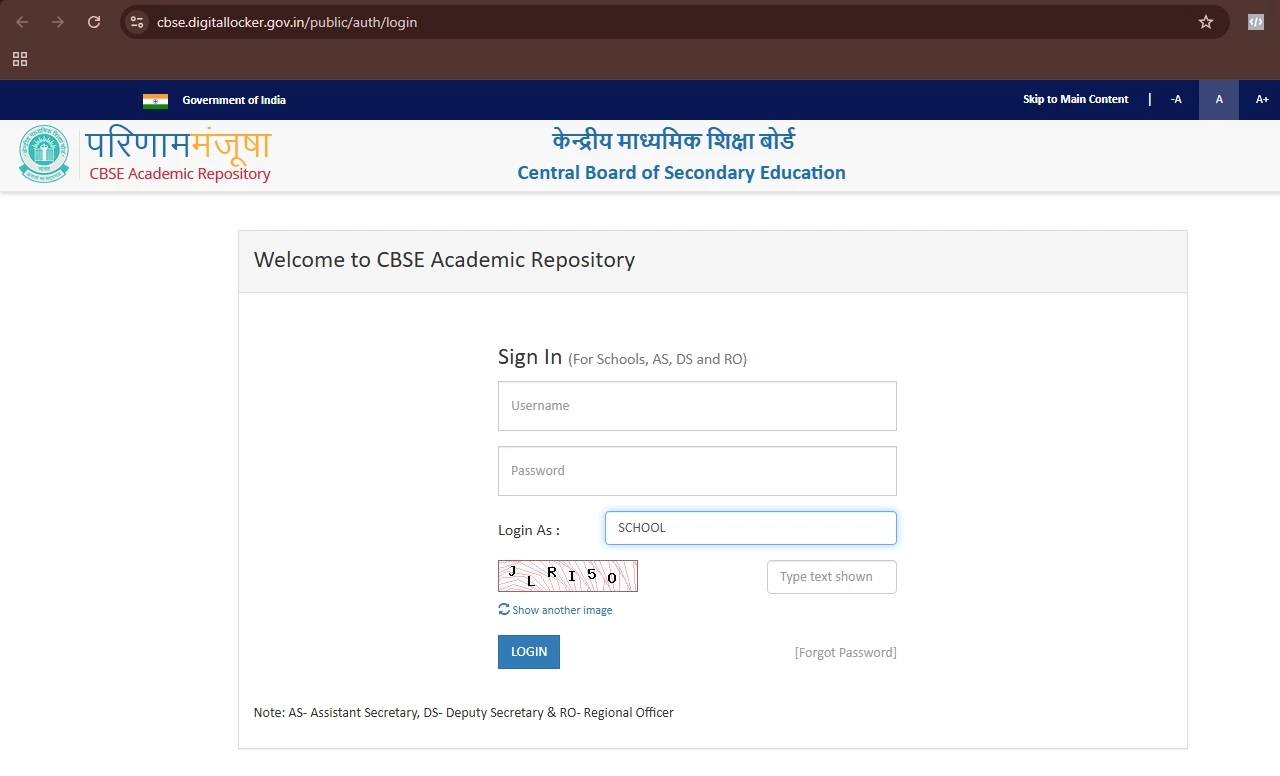 CBSE Academic Repository Login Page
- Download the Access Code File:
After logging in, schools can select the option to ‘Download Access Code File’ for Class 10 and 12. This file will contain all the access codes for the students in that class.
- Distribute the Codes to Students:
Once the file is downloaded, schools should ensure the safe and confidential distribution of the access codes.
- User Manual:
In addition to the access codes, CBSE has provided schools with a comprehensive user manual (Attached in the circular on page 3). It includes step-by-step instructions on how students can activate their DigiLocker account.
What About International CBSE Students?
International CBSE students are not left behind! CBSE ensures that students studying in CBSE-affiliated international schools can also access their results and documents via DigiLocker. Follow the steps mentioned below:
- Visit the portal https://results.digilocker.gov.in/
- Create a ticket on https://nad-support.digilocker.gov.in/ with the category ‘CBSE International Student 2025.’
The recent initiative by CBSE to pre-create DigiLocker accounts for Class 10 and 12 students aligns strongly with Target Learning Venture’s core pillar of innovation. By embracing digital technology, CBSE is streamlining access to academic documents through the ‘Parinam Manjusha’ repository. This forward-thinking approach reflects innovation in education, making processes more efficient, secure, and accessible.
Source
Official Circular by CBSE, 05 May, 2025: click here to read.
Kindly note that any and all information is subject to change as per the CBSE, Ministry of Education, and Government of India.
Also read
CBSE to Conduct Dual Board Exams from Academic Year 2025-2026. Other State Boards to Follow
CBSE to Empower Teachers with 50 Hours of Training and a STEM-Focused 2025 Vision
CBSE Develops Parenting Calendar for Academic Year 2025-26. Direct Link to Parenting Calendar