
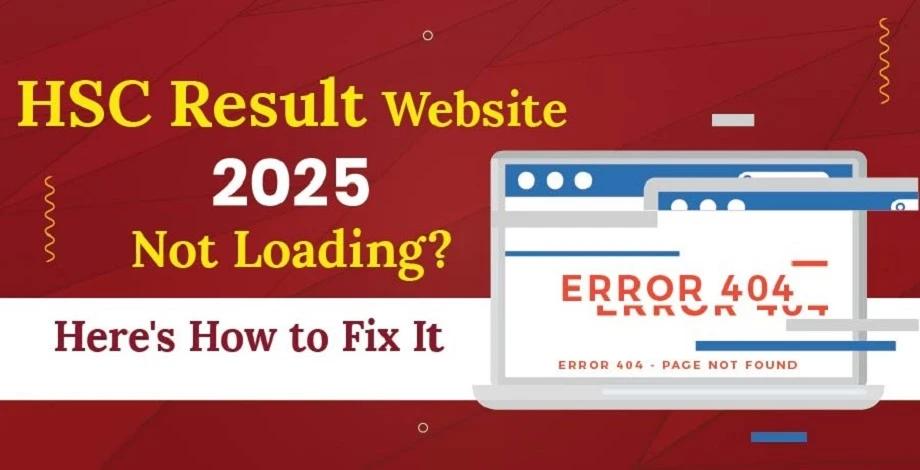
If you’ve been eagerly waiting to check your HSC results online, it can be incredibly frustrating if the official result portal isn’t working. You might encounter issues like the page not loading, slow response times, or unexpected errors. Worry not! There are several steps you can take to troubleshoot the issue and still access your HSC Maharashtra result online.
This blog will help you find alternative ways to check your HSC result Maharashtra
1. Try Accessing the Results through Different Websites
Did you know there are multiple trusted sites that you can view your results from? Use any of the following websites to access the Maharashtra HSC Results 2025.
- results.targetpublications.org/hsc-2025
- mahresult.nic.in
- hscresult.mkcl.org
- hscresult.mahahsscboard.in
- results.digilocker.gov.in
- mahahsscboard.in
Don’t go far—Check your Maharashtra State HSC Board Results 2025 on https://results.targetpublications.org/hsc-2025
2. Check Your Internet Connection
If any of the above websites don’t work, you might need to make sure your internet connection is stable. A poor or intermittent connection might be causing the portal to load slowly or not at all.
If you’re on mobile data, try connecting to a Wi-Fi network, or vice versa. Sometimes, simply restarting your internet hardware can fix connectivity issues. Once your connection is stable, try accessing the portal again to see if the issue of HSC result site not working persists.
3. Refresh the Page
It’s possible that the portals aren’t responding due to a temporary glitch. Often, simply refreshing the page can help. You can press the F5 key on your keyboard or click the refresh button in your browser.
If refreshing doesn’t work, try clearing your browser’s cache and cookies. Over time, your browser accumulates data that can interfere with page loading. Clearing it might resolve the issue of mahresult.nic.in not opening.
4. Use Alternative Methods for Accessing Results
If you are unable to access your results for a long time, don’t worry. There are usually alternative methods to check your Std 12 Maharashtra results online. Here are some simple methods on how to check your std 12 results online:
- App-based checking: How to use the DigiLocker app to access your results? Firstly, you need to create an account on DigiLocker. Then you can access the HSC marksheet in the drop down menu available on the app. This will help you view your HSC results 2025.
- SMS-based result checking: Simply follow the instructions provided by Maharashtra Board and send a text message with your roll number or other required details.
5. Try a Different Browser or Device
Sometimes the problem lies in the browser you’re using. Websites may not be compatible with all browsers. Try accessing the Std 12 Maharashtra result online portal on a different browser (e.g., Chrome, Firefox, etc.) or on a different device (like a smartphone or tablet).
If the portal loads on another device, the issue of HSC result site not working might be related to your computer’s settings or a browser extension that’s causing conflicts. You can also try opening the site in incognito mode to eliminate any issues caused by extensions or saved data.
6. Check for Server Maintenance or Overload
The Maharashtra HSC results 2025 portal may experience high traffic volumes due to the large number of students trying to access their results at the same time. This can cause the server to crash and lead to HSC result site not working. In such cases, use any of the various websites or methods listed above.
Once you manage to get your results, make sure to download a copy for future reference. It's also important to familiarise yourself with the HSC grading system and passing criteria to better interpret your results.
All the best!