
If you are planning to appear for the MHT CET exam, you need to know where to register, how to access your account, and where to check important updates. The Maharashtra State Common Entrance Test Cell is the official authority responsible for MHT CET registration, admit cards, results, and admission-related updates.
Knowing how to use the official portal can help you avoid missed deadlines, incorrect information, and unofficial websites.
What is the official website for MHT CET registration?
You should use the official CET Cell website to complete your MHT CET registration, download your admit card, check results, receive notifications, and access counselling-related information.
You should always verify important exam and admission information through the official portal rather than relying on unofficial websites.
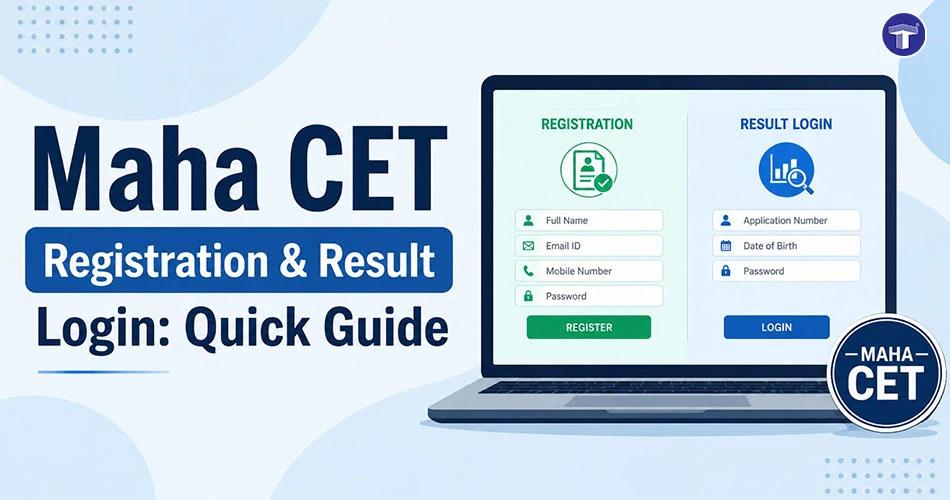
Whether you want to know how to register for Maha CET online, access the MHT CET login portal, or check the latest notifications, your candidate account is the primary source for these services.
How to register for Maha CET online?
If you want to know how to register for Maha CET online, you can generally follow these steps:
Step 1: Visit the official registration portal
Visit the official CET Cell website and select the MHT CET examination from the available options.
Step 2: Create your account
Click on the registration link and enter the required details, such as:
- Your full name
- Mobile number
- Email ID
- Date of birth
Complete the verification process as instructed to create your account.
Step 3: Fill in the application form
The MHT CET registration process step by step generally involves entering:
- Personal details
- Educational qualifications
- Category information
- Communication address
Make sure the information you enter matches your official documents.
Step 4: Upload the required documents
Upload the documents specified on the official portal, such as:
- Passport-size photograph
- Signature
- Other documents, if applicable
Check the prescribed file size, format, and other requirements before uploading.
Step 5: Pay the application fee
Pay the applicable MHT CET application fee through the payment options available on the portal. Save your payment receipt for future reference.
Step 6: Submit your application
Review all the information carefully before submitting your application. After successful submission, download and save the confirmation page or application form.
You should also keep checking the official portal for the MHT CET registration last date, as application deadlines can vary for different admission cycles.
How do you log in to your MHT CET account?
Your MHT CET login portal gives you access to important information throughout the examination and admission process.
If you want to know how to login to MHT CET account, follow these general steps:
- Visit the official MHT CET portal.
- Select Candidate Login.
- Enter your registered login credentials.
- Complete the required verification, if prompted.
- Click Login.
After logging in, you can access services such as your application details, admit card, result, notifications, and other updates available for your examination stage.
How can you download your MHT CET admit card?
Your MHT CET admit card login becomes available when the CET Cell releases the admit card for your examination.
Once the admit card is released:
- Log in to the official MHT CET portal.
- Select the Admit Card option.
- Check the details mentioned on your admit card.
- Download the PDF.
- Take a printout and keep it safely for the examination.
Check your photograph, examination centre, reporting time, and other details carefully. If you notice an error, follow the correction instructions provided by the CET Cell.
How do you check MHT CET results?
Once the results are announced, you can use the official portal to access your scorecard.
To check your Maha CET result login, follow these steps:
- Visit the official MHT CET website.
- Open the result section.
- Enter the required login credentials.
- Submit the details.
- View and download your scorecard.
Keep a digital and printed copy of your scorecard, as you may need it during the admission and counselling process.
How do you check MHT CET notifications?
You should regularly check the official CET Cell portal for MHT CET notification updates. Important announcements may include:
- Registration dates
- Application deadlines
- Exam schedule
- Admit card release
- Answer key updates
- Result declaration
- Correction windows
- CAP schedule
- Counselling dates
- Document verification instructions
Checking the official portal regularly can help you avoid missing important deadlines.
You can also follow Target Publications’ official WhatsApp channel to stay updated on exam news, preparation tips, results, and admission announcements.
What happens after your MHT CET result?
After your result is declared, your next step is generally the admission process through the Centralised Admission Process (CAP), depending on the course and admission rules applicable to you.
The process may include:
- Candidate registration
- Document verification
- Merit list publication
- College and course preference filling
- Seat allotment
- Admission confirmation
You should carefully follow the official schedule and complete each step within the specified deadline.
How do you access the MHT CET counselling portal?
Depending on the admission stage, you may need to access the relevant MHT CET counselling login or MHT CET CAP login portal.
Through the counselling portal, you may be able to:
- Register for counselling
- Submit or verify documents
- Check your application status
- Fill in college preferences
- Check seat allotment
- Confirm your allotted seat
Common mistakes you should avoid
While completing Maha CET registration and using the MHT CET login portal, avoid these common mistakes:
- Waiting until the MHT CET registration last date to apply.
- Entering an incorrect email ID or mobile number.
- Forgetting your login credentials.
- Uploading documents in the wrong format or size.
- Depending only on unofficial social media updates.
- Ignoring MHT CET notification updates.
- Missing the MHT CET counselling registration deadline.
- Forgetting to download your admit card or scorecard.
Regularly checking the MHT CET login portal can help you stay updated from registration and examination to results and counselling.
FAQs About MHT CET Registration and Login
Where can you register for MHT CET?
You can register for MHT CET through the official State Common Entrance Test Cell, Maharashtra portal.
How can you log in to the MHT CET portal?
You can log in through the official candidate login section using the credentials you created during registration.
Where can you check your MHT CET result?
You can check and download your MHT CET result from the official CET Cell portal after the result is declared.
How can you check MHT CET notifications?
You should regularly check the official CET Cell website and your candidate dashboard for the latest MHT CET notifications.
What should you do after your MHT CET result?
After your result, you should check the official admission schedule and complete the applicable CAP or counselling process within the specified deadlines.