
Feeling nervous about your Maharashtra SSC Result 2026? What if the website crashes down in the last moment or what if you lose your internet connection?
The day your Maharashtra SSC results are announced, it brings a mix of excitement, anticipation, and butterflies. It’s a big milestone and naturally, you want to access your results quickly without any confusion or delay.
The good news? Checking your SSC result 2026 link Maharashtra Board is simple, fast, and can be done at your convenience. Here’s a step-by-step guide to help you access your Maharashtra 10th Board result 2026 without any stress.
Different Ways on to Check Your SSC Board Result 2026 Link
Check Your Maharashtra SSC Result on the Official Website
The most reliable way to view your Maharashtra Board 10th result 2026 is through the Maharashtra Board Website Link.
Follow these simple steps:
- Visit the official results portal: mahresult.nic.in
- Click on the link that says ‘Maharashtra SSC Result 2026’
- Enter your roll number and mother’s first name (as per your admit card)
- Click on ‘View Result’
- Your result will appear on the screen with:
- Subject-wise marks
- Total score
- Pass/fail status
Download and print a copy for future reference
Tip: Keep your admit card handy to avoid last-minute errors while entering details.
Get Fast Access with Target Publications
To get 10th SSC Result link Maharashtra Board, Target Publications provides a quick and user-friendly platform for you.
- Visit: results.targetpublications.org
- Enter your accurate credentials as required
- View your result within seconds
Last year, over 3 lakh students accessed their results seamlessly, with minimal waiting time—even during peak traffic.
Use DigiLocker for SSC Result 2026
With lakhs of students checking results simultaneously, official websites may slow down. That’s where DigiLocker becomes a reliable alternative.
Why use DigiLocker?
- Access your digital marksheet instantly
- Safe, government-backed platform
- Documents are stored securely for future use
You can log in to DigiLocker using your registered mobile number and access your SSC marksheet without hassle.
How to Check SSC Results via SMS (No Internet Needed)
If your internet connection is slow or unavailable, SMS is a quick and effective option.
Steps to follow:
- Open your phone’s messaging app
- Type: MHSSC <space> Your Seat Number
- Send it to 57766
- You’ll receive your Maharashtra Board 10th result 2026 via SMS
The message will include:
- Subject-wise marks
- Overall result status
Best for Students on the move or facing network/internet issues.
Try Authorised Third-Party Websites
If the official website is slow or unresponsive, you can check your Maharashtra Board 10th result 2026 on authorised third-party portals.
Keep in mind:
- Use only trusted and authorised websites
- Double-check your details before submitting
- Avoid unofficial or suspicious links
These platforms help manage heavy traffic during peak result hours.
Final Thoughts
Checking your Maharashtra Board 10th Result 2026 doesn’t have to be stressful. With multiple options available you can choose what works best for you. Most importantly, remember your result is important, and it’s the beginning of your bigger academic journey. Whatever the outcome, there are always opportunities ahead.
All the best!
Frequently Asked Questions
1. What should I do if the 10th SSC result link is not working?
Ans: If the official website crashes or loads slowly due to heavy traffic, don’t panic. You can try again after some time or use alternative methods like DigiLocker, SMS services, or trusted third-party websites. These options usually remain accessible even during peak hours.
2. How to check SSC Board result 2026 through mobile phone?
Ans: Yes, you can easily check your SSC result 2026 on your mobile phone. Simply open a browser, visit the official results website, and enter your credentials. You can also use DigiLocker or SMS services for quick access without needing a computer.
3. How can I download SSC Result 2026 Maharashtra Board from DigiLocker?
Ans: To download your result from DigiLocker:
- Log in to your DigiLocker account using your registered mobile number
- Go to the “Education” or “Issued Documents” section
- Select Maharashtra State Board
- Enter your required details (like roll number/year)
- Download your digital marksheet
Your document will be securely stored and can be accessed anytime.
4. What if I forget my roll number while checking the SSC result?
Ans: If you forget your roll number, check your SSC admit card or hall ticket, as it contains all the necessary details. If you don’t have it, contact your school authorities—they can help you retrieve your roll number.
5. What should I do after checking my Maharashtra SSC result 2026?
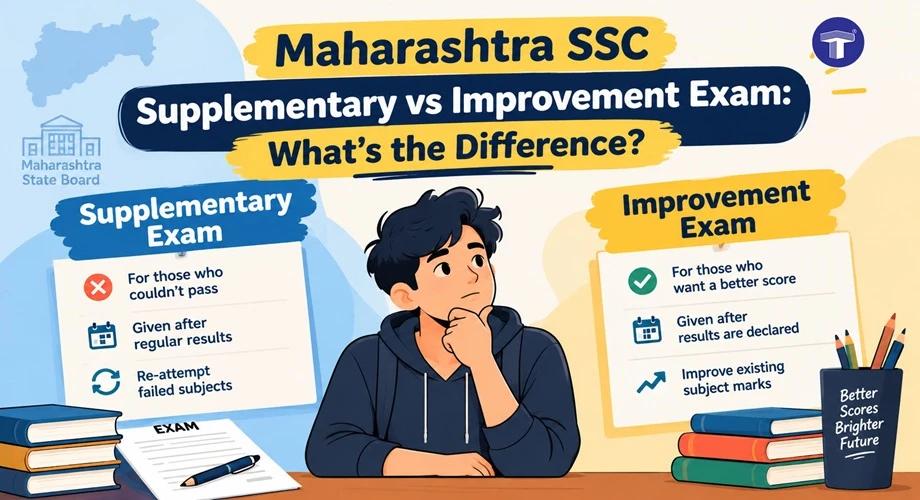
Ans: After checking your result, download and print a copy for reference. Then, start planning your next academic step—whether it’s choosing a stream (Arts, Commerce, Science) or exploring diploma and skill-based courses. If you’re not satisfied with your marks, you can also apply for revaluation or supplementary exams as per board guidelines.